




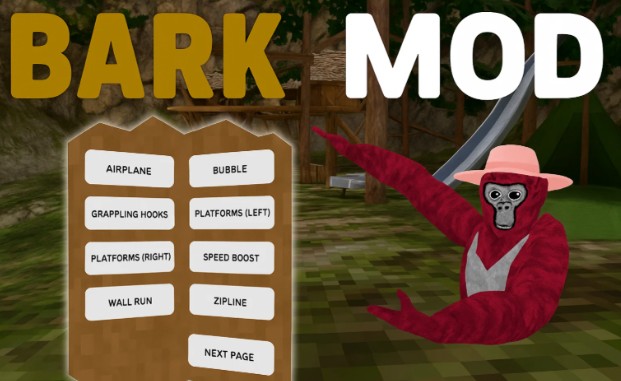
Gorilla Tag is a popular VR game that emphasizes movement and agility, allowing players to swing, climb, and tag each other in various environments. The game’s modding community has flourished, introducing a plethora of modifications that enhance and diversify gameplay. Among these, the Bark Mod Menu stands out for its user-friendly interface and extensive feature set.
Key Features of the Bark Mod Menu
Movement Enhancements
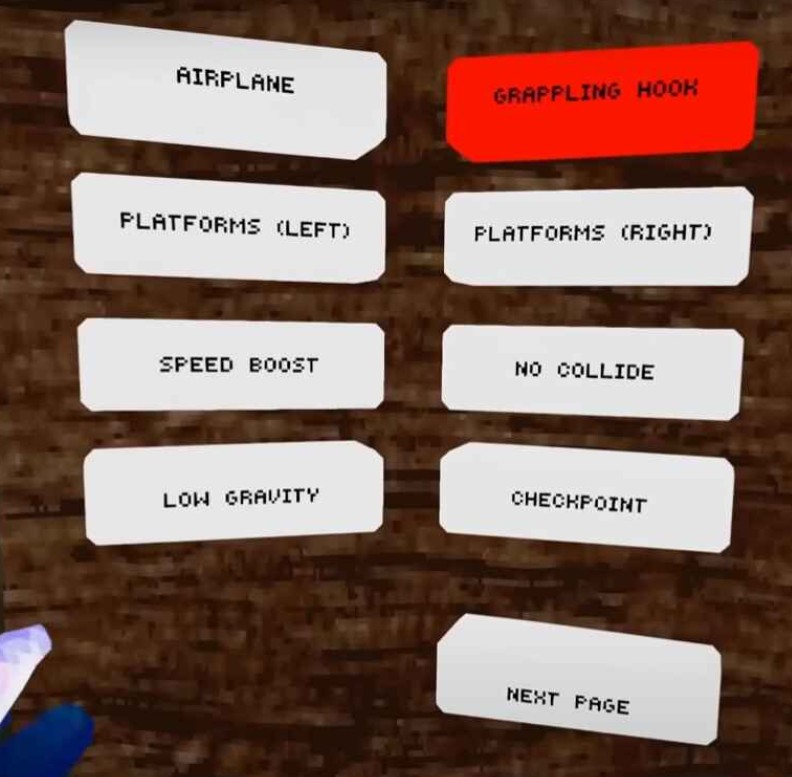
Image Credit: PrimeVR YouTube
- Airplane Mode: Fly by spreading your arms like wings, steering with wrist movements.
- Bubble: Encase yourself in a floating bubble, allowing for unique aerial navigation.
- Fly: Utilize joystick controls for free-flight capabilities.
- Grappling Hooks: Equip grapple guns to swing across the environment.
- Platforms: Create floating platforms under each hand for strategic movement.
- Speed Boost: Increase your movement speed significantly.
- Nail Gun: Shoot nails into surfaces to create climbable points.
- Rockets: Spawn rockets in each hand for rapid propulsion.
- Wall Run: Seamlessly transition between running on floors, walls, and ceilings.
- Zipline: Deploy ziplines for quick traversal.
Physics Modifications
- Low Gravity: Reduce gravity’s effect for higher jumps and slower falls.
- No Collide: Pass through solid objects, useful for exploration.
- No Slip: Disable sliding on slippery surfaces.
- Potions: Consume potions to alter your size.
- Slippery Hands: Make all surfaces slippery, adding a challenge to movement.
Teleportation Tools
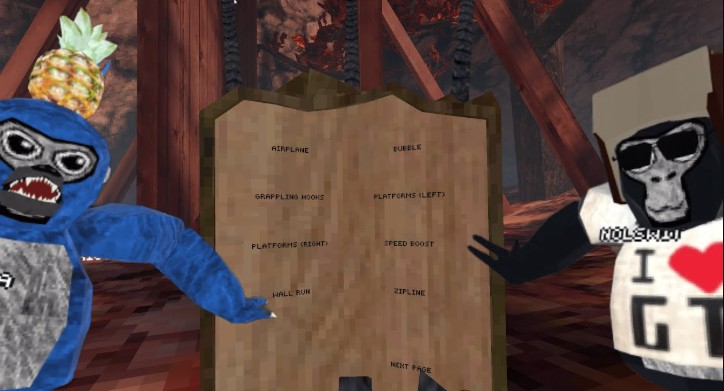
Image Credit: Nolswit YouTube
- Checkpoint: Set a return point and teleport back to it at will.
- Pearl: Throw a teleportation pearl to instantly move to its landing spot.
- Teleport: Use hand gestures to aim and teleport to specific locations.
Multiplayer Interactions
- Boxing: Engage in punch-based interactions with other players.
- Fireflies: Summon fireflies that track and highlight other players.
- Piggyback: Ride on other players’ backs with their consent.
- Telekinesis: Manipulate objects or players from a distance.
- X-Ray: See through walls to locate other players.
Miscellaneous Features
- Join Bark Code: Easily join private modded lobbies using unique codes.
- Seasonal Themes: Enjoy festive updates like Christmas decorations.
- Customizable Interface: Tailor the mod menu’s appearance to your preferences.
Installation Guide
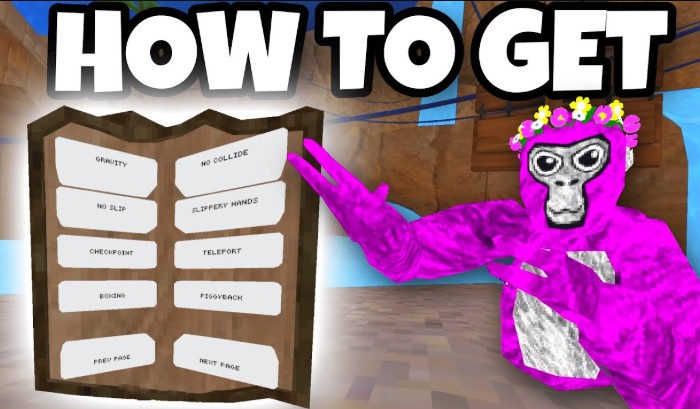
Image Credit: PrimeVR YouTube
Note: The Bark Mod Menu is compatible only with PCVR (SteamVR) and is not supported on standalone Quest devices.
- Install Monke Mod Manager: Download and install Monke Mod Manager to manage your Gorilla Tag mods.
- Download Bark Mod Menu: Obtain the latest version of the Bark Mod Menu from the official GitHub repository.
- Install the Mod:
- If you have the Computer Interface (CI) mod installed, download the Bark-X.X.X.CI.dll file.
- If not, download the standard Bark-X.X.X.dll file.
- Place the downloaded .dll file into your Gorilla Tag/BepInEx/plugins folder.
- Launch Gorilla Tag: Start the game via SteamVR.
- Activate the Mod Menu: In a modded lobby, beat your chest alternately with both hands four times (LRLR or RLRL) to summon the Bark interface.
Troubleshooting Common Issues
- Mod Not Loading: Ensure the .dll file is correctly placed in the BepInEx/plugins folder. Verify that you have the correct versions of BepInEx and the Bark Mod Menu.
- Game Crashes: If Gorilla Tag crashes on startup, remove the mod .dll file and try launching the game. If the game runs without the mod, there may be a compatibility issue. Check for updated versions of both BepInEx and the Bark Mod Menu.
- No Mod Features: If the mod loads but features are not accessible, review any provided documentation for specific activation instructions or keybinds.
Safety and Compliance
- Mod Usage: Use the Bark Mod Menu only in private, modded lobbies where all players consent. Using mods in public lobbies can lead to bans.
- Compatibility: The mod is designed for PCVR and is not compatible with standalone Quest devices.
- Mod Status: As of February 2024, the Bark Mod Menu repository has been archived and is read-only. While the mod may still function, it is no longer actively maintained.
Compatibility and Limitations
- Supported Platforms: PCVR (SteamVR)
- Incompatibility with Standalone Quest Devices: The Bark Mod Menu does not support standalone VR headsets like the Oculus Quest.
- Archived Status: The mod is no longer actively maintained, which may lead to compatibility issues with future updates of Gorilla Tag.
Community and Support
- Official Resources: Access the mod’s GitHub repository for downloads and documentation.
- Community Forums: Engage with other players on platforms like Reddit and Discord to share experiences and seek assistance.
- Alternative Mod Menus: Explore other mod menus such as Monke Mod Manager for different features and functionalities.
Frequently Asked Questions (FAQs)
Is the Bark Mod Menu safe to use?
Yes, when used in private, modded lobbies with the consent of all players.
Can I use it on Oculus Quest?
No, the Bark Mod Menu is not compatible with standalone Oculus Quest devices.
How do I uninstall the mod?
Delete the Bark Mod Menu .dll file from the BepInEx/plugins folder.
Are there alternatives to the Bark Mod Menu?
Yes, other mod menus like Monke Mod Manager offer different features.
Visual Guides and Tutorials
For a visual guide on installing and using the Bark Mod Menu, you might find the following video helpful:
The Bark Mod Menu offers a rich set of features that enhance the Gorilla Tag experience for PCVR players. While it is no longer actively maintained, its existing functionalities continue to provide value in private, modded lobbies. Always ensure you use mods responsibly and in accordance with the game’s guidelines to maintain a fair and enjoyable environment for all players